> ## Documentation Index
> Fetch the complete documentation index at: https://developers.getfernand.com/llms.txt
> Use this file to discover all available pages before exploring further.
# Authentication
To interact with the Fernand API, you need to include your API key in every request.
This is done by passing it in the `X-Api-Key` header.
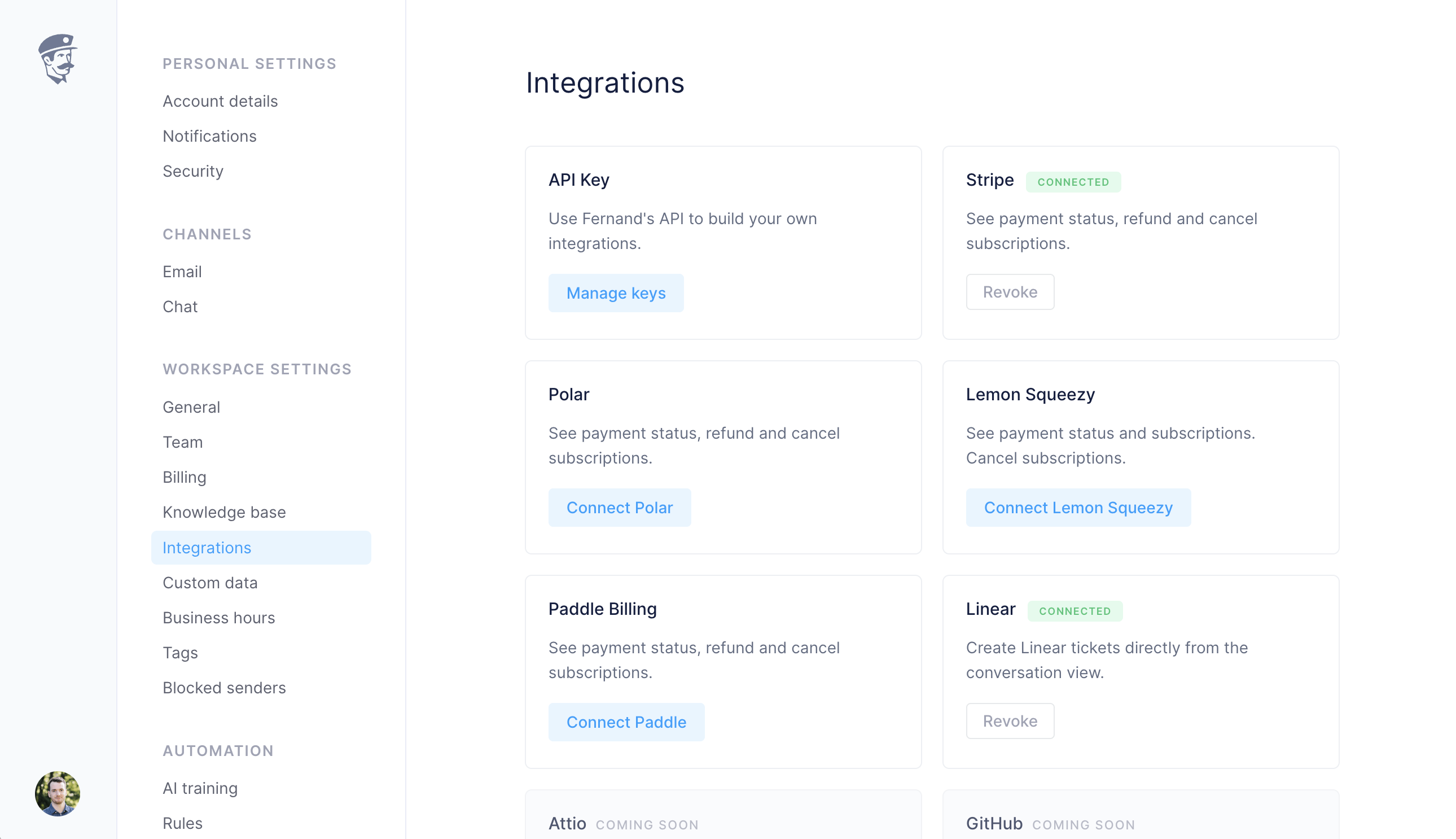
You can create and manage your keys directly from your Fernand dashboard under **Integrations → API Key**.
 ## Managing keys
Navigate to **Integrations** in your workspace settings.
Click on **Manage keys** under the **API Key** integration card.
Create a new key if you don't already have one, or copy an existing key.
Include this key in the `X-Api-Key` header when making API calls.
**Security best practices:**
* Keep your keys secret. Do not paste them into public repositories or client-side code.
* Rotate your keys regularly for added security.
* If you suspect a leak, revoke the key immediately from the dashboard.
## Making a request
Once you have an API key, include it in the header of your request. Here are some examples:
```bash theme={null}
curl -H "X-Api-Key: sk_xxxxxxxxxxxxxxxxxxxxxxxxxxxxxxxxxxxxx" \
https://api.getfernand.com/conversations
```
```bash theme={null}
curl -H "X-Api-Key: sk_xxxxxxxxxxxxxxxxxxxxxxxxxxxxxxxxxxxxx" \
https://api.getfernand.com/conversations//messages
```
## Managing keys
Navigate to **Integrations** in your workspace settings.
Click on **Manage keys** under the **API Key** integration card.
Create a new key if you don't already have one, or copy an existing key.
Include this key in the `X-Api-Key` header when making API calls.
**Security best practices:**
* Keep your keys secret. Do not paste them into public repositories or client-side code.
* Rotate your keys regularly for added security.
* If you suspect a leak, revoke the key immediately from the dashboard.
## Making a request
Once you have an API key, include it in the header of your request. Here are some examples:
```bash theme={null}
curl -H "X-Api-Key: sk_xxxxxxxxxxxxxxxxxxxxxxxxxxxxxxxxxxxxx" \
https://api.getfernand.com/conversations
```
```bash theme={null}
curl -H "X-Api-Key: sk_xxxxxxxxxxxxxxxxxxxxxxxxxxxxxxxxxxxxx" \
https://api.getfernand.com/conversations//messages
```